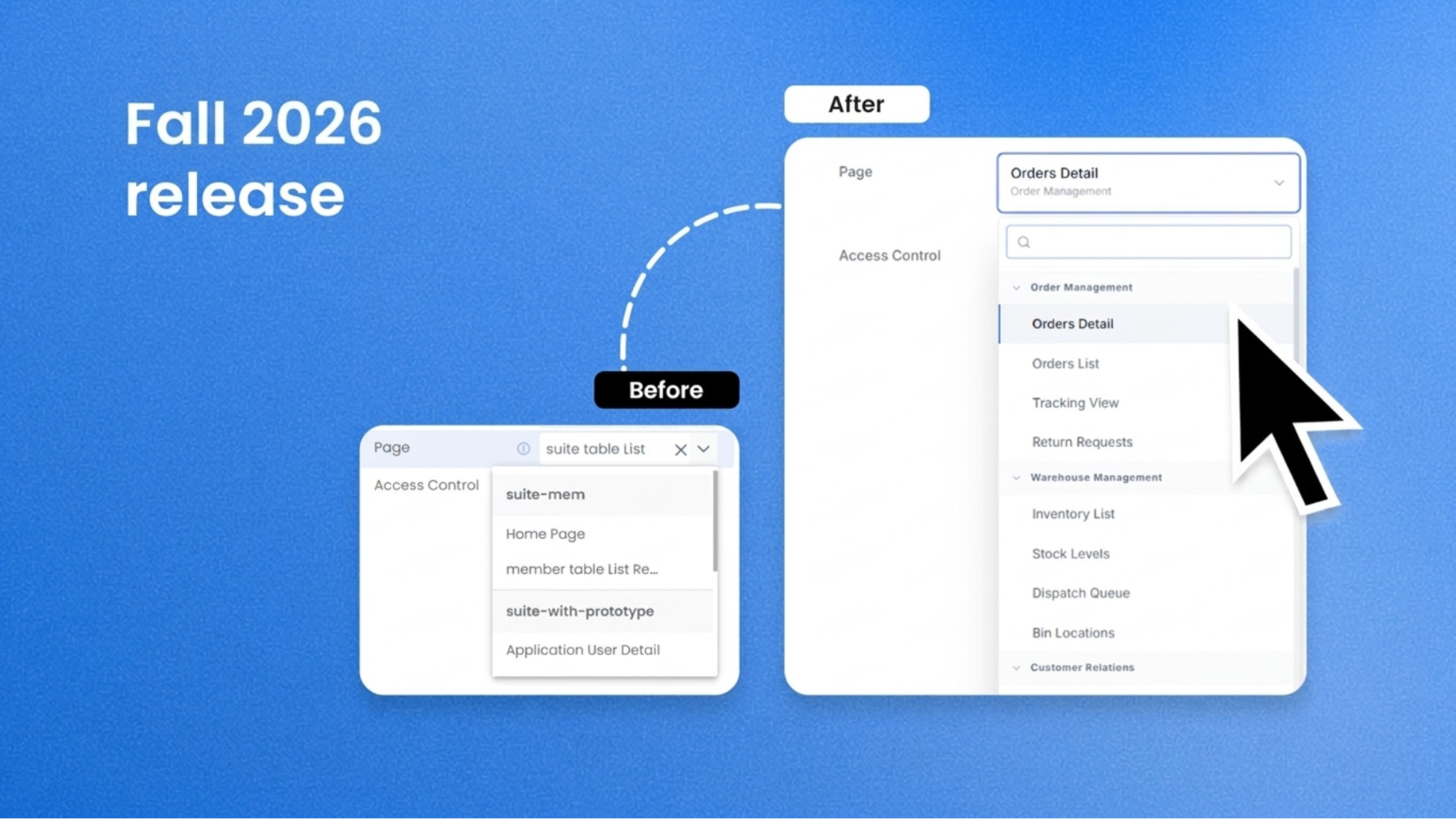
Rappit's Fall 2026 Release elevates user experience and enterprise readiness

The latest Rappit Platform release pushes your applications further into the way your enterprise works every day, with a more connected experience for application end-users and new insight for product owners into how applications are used. For IT teams, it brings productivity, consistency and governance to database changes and external connections.
Build a page once and embed live across your core system where users need it most
With Micro Frontend page embedding, your core system’s microservice applications work together as one connected experience. Pages from any member application load inside the application your users are already in. Menus, homepage tiles, buttons, detail pages, data grids and query views can all pull from across your core system, while the URL, side menu and layout stay put. Picture one order screen with live Warehouse inventory on one tab and Delivery Tracking attempts on another, each filtered to that order.
Build a page once and reuse it in every application. Users see the whole picture on one screen. Access stays governed, so someone without Warehouse rights sees an access message in that one grid while the rest of the page works. Rename a page in one application and every reference across your core system updates automatically.
Measure adoption for every application
Google Analytics monitoring is now built into every application you generate. An Org Admin adds a Google Tag Manager ID once in Organization Settings, and every publish after that sends page views and button clicks (Save, Approve, Export, custom actions) from your deployed applications straight into your own Google Analytics. Each application’s Operate section has an Open Google Analytics button, one click away. It is opt-in and starts with your next publish. You complete a one-time setup in Google Analytics and Tag Manager, and we document every step.
Business leaders see whether a new release of the application is actually adopted. Product owners see which features matter most. Operations teams spot a drop in usage before the complaints arrive. Your usage data flows from the browser to your own Google account, and the capability is included at no extra charge.
Automated DB schema updates keep every datastore in sync
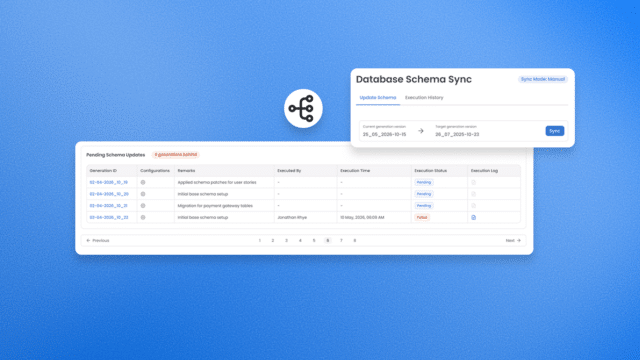
Change a table, deploy, and Rappit detects what changed and applies it through your CI/CD pipeline, so your database keeps pace with your application. That covers your AI-ready data core, consisting of an RDBMS, BigQuery and Elasticsearch, across Development, Test, Pre-Production and Production environments. Set each environment to Automatic or Manual (Manual is the default), so production can keep a human at the controls. Need to reshape data on the way? Add pre and post steps in Java or SQL. A failed step shows up in the Admin Console, and you retry from that step with completed work left in place.
You get less schema-related manual work, and your release process scales with your environments. Application development leaders get DevOps maturity built into the platform, with a full sync history in the Admin Console.
Authentication goes from custom code to a single selection
Choose the authentication type for a REST integration from a single dropdown. OAuth 2.0 (client credentials), API Key, OAuth 1.0 and Mutual TLS now join Basic and No Auth. The generated application handles token acquisition and caching, request signing and certificate presentation. Admins enter credentials per environment directly in the running application, and secrets are held securely in Google Secret Manager. Existing integrations keep working exactly as they are.
Developers spend their time on what makes your system unique. Security and compliance teams manage credentials in one governed place and every new integration starts faster.
What could this look like for your systems?
Rappit works shoulder to shoulder with your team to ideate and build agentic core enterprise systems, so the best place to start is where you are today.
- Book a discovery call to talk through where you are and what’s possible.
- Meet the platform behind these capabilities.
- Follow Rappit on LinkedIn to be the first to hear about new developments.
FAQ
What is new in the latest Rappit platform release?
The latest Rappit platform release brings a more connected experience for application end-users, new insight for product owners into how applications are used, and productivity, consistency and governance for IT teams. Four capabilities deliver it. Micro Frontend page embedding connects microservice applications into one experience, Google Analytics monitoring shows how applications are used, automated DB schema updates keep every datastore in sync, and new authentication types connect REST integrations to external APIs from a single selection.
How can I embed a page from one microservice application into another?
With Micro Frontend page embedding, pages from any member application load inside the application your users are already in. Menus, homepage tiles, buttons, detail pages, data grids and query views can pull from across your core system while the URL, side menu and layout stay put. Build a page once and reuse it in every application. Access stays governed, so someone without rights to the source application sees an access message in that one grid while the rest of the page works. Rename a page in one application and every reference across your core system updates automatically.
How do I keep database schemas in sync across Development, Test, Pre-Production and Production?
Change a table, deploy, and Rappit detects what changed and applies it through your CI/CD pipeline. This covers an RDBMS, BigQuery and Elasticsearch across Development, Test, Pre-Production and Production environments. Set each environment to Automatic or Manual sync, with Manual as the default so production keeps a human at the controls. Pre and post steps in Java or SQL reshape data along the way. If a step fails, the Admin Console shows it and you retry from that step with completed work left in place.
Which authentication types can I use to connect to external REST APIs?
OAuth 2.0 (client credentials), API Key, OAuth 1.0 and Mutual TLS now join Basic and No Auth. Developers choose the type from a single dropdown, and the generated application handles token acquisition and caching, request signing and certificate presentation. Admins enter credentials per environment directly in the running application, and secrets are held securely in Google Secret Manager. Existing integrations keep working exactly as they are.
How can I measure adoption of the applications I build on Rappit?
Google Analytics monitoring is built into every application you generate. An Org Admin adds a Google Tag Manager ID once in Organization Settings, and every publish after that sends page views and button clicks (Save, Approve, Export, custom actions) from your deployed applications into your own Google Analytics. Each application’s Operate section has an Open Google Analytics button. The capability is opt-in, starts with your next publish, needs a one-time setup in Google Analytics and Tag Manager, and is included at no extra charge. Usage data flows from the browser to your own Google account.
What is Rappit and how do I get started?
Rappit is a leading custom enterprise software development, solutions, and services partner, trusted by multinationals and medium sized organizations, with a focus on Manufacturing, Supply Chain & Logistics, and Retail & Wholesale. With more than 45 years of enterprise software expertise, our own developers, project managers, and delivery managers work directly alongside customer teams to build and evolve core systems such as ERP, TMS, WMS, and OMS, extended with line of business applications, AI agents, and intelligent document processing as the business grows. Rappit uses its next-gen agentic development platform to modernize legacy environments into cloud native, agentic applications the business fully owns, built around its unique processes. System integrators and software development providers partnering with Rappit deliver the same value on that platform, building custom solutions once and scaling across their own client base. The best place to start is a discovery call at rappit.io/discovery-call, where you talk through where you are today and what is possible.
You might also like…

How to solve the triple debt nightmare in software engineering
As AI accelerates code generation, the gap between what humans can validate for security and maintainability is widening. This shifts the enterprise challenge from simple technical debt into a triple debt crisis: technical, cognitive, and intent debt.